Glance manual
Set up
Press the Power button to turn Glance on, then listen. Glance tells you how to connect it to Wi-Fi. If you have trouble, see Wi-Fi help at the end of this page.
Buttons
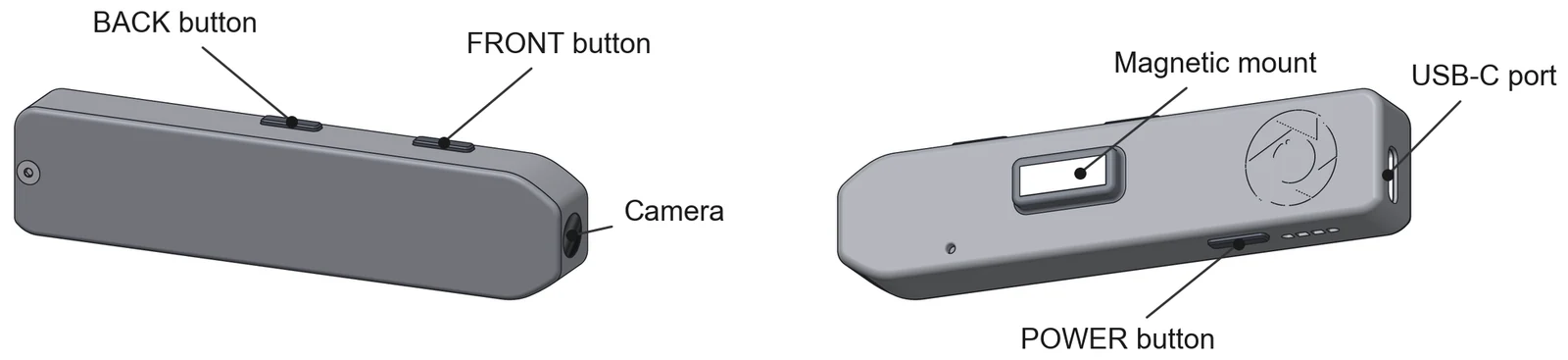
Glance has three buttons. The Front and Back buttons are on the top edge. The Front button is the one nearer the camera. The Power button is on the bottom edge, near the back.
| Describe what is in front of you | Press the Front button. |
|---|---|
| Hear a longer description | Press the Back button twice, quickly. |
| Ask a question | Press the Back button. After the click, ask your question, then press any button. |
| Stop Glance talking | Press the Front or Back button. |
| Louder | Hold the Front button. |
| Quieter | Hold the Back button. |
| Battery level | Press the Power button. |
| Turn on | Press the Power button. |
| Turn off | Hold the Power button for 2 seconds. |
Wearing Glance
Fit the clip to your glasses
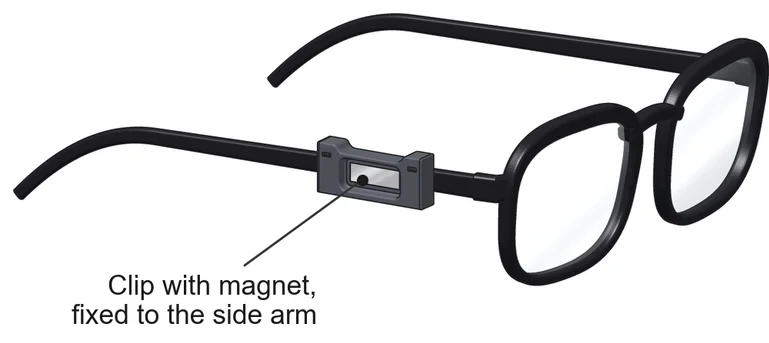
You do this once. The clip stays on your glasses. You need the clip, which has two zip ties already threaded through it, and the nail clippers from the box.
- With the magnet facing away from the glasses, slide the two zip-tie loops over the end of the right arm.
- Slide the clip along the arm until it sits as in the picture above, a few centimetres behind the hinge.
- Pull the end of each zip tie until it is tight and the clip cannot slide or turn.
- Use the nail clippers to cut off the end of each zip tie, as close to the zip tie's head as you can. Feel for sharp edges and trim again if needed.
Put Glance on
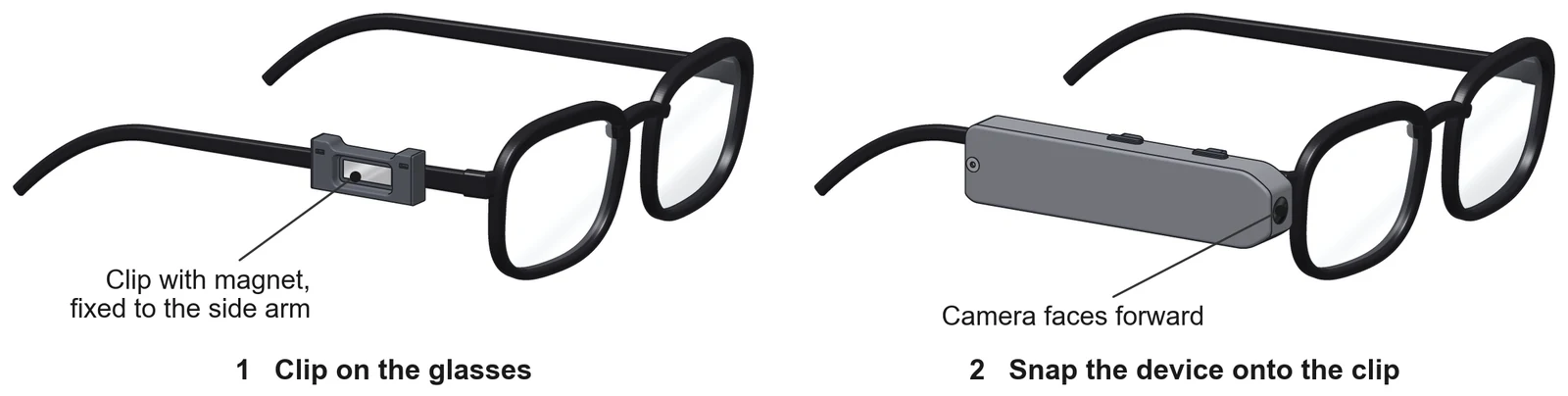
Hold Glance with the camera facing forward and bring its magnetic side to the clip. It snaps into place. To take it off, pull it away from the clip.
Carry Glance on the lanyard
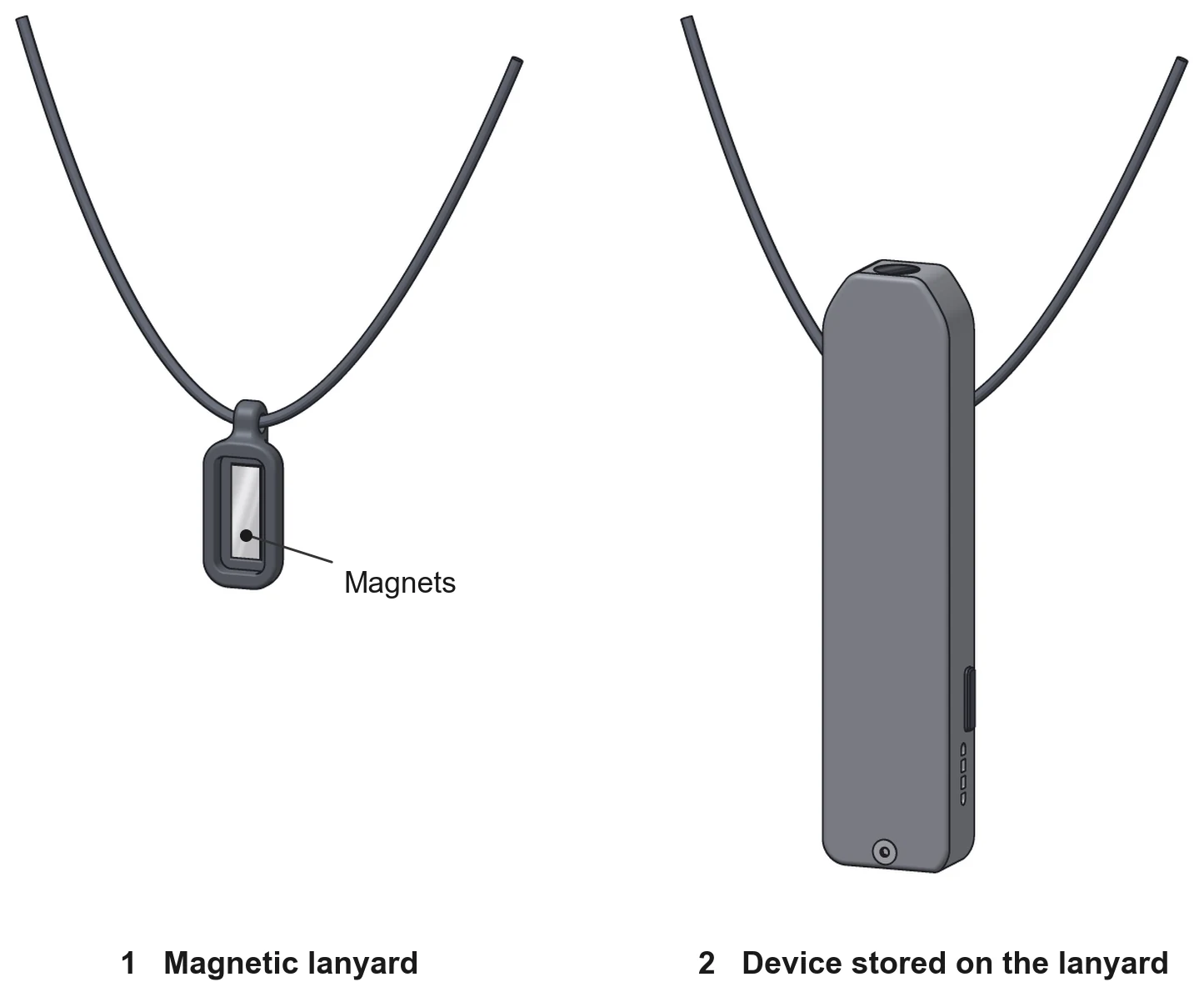
When you are not using Glance, wear the lanyard around your neck and snap Glance onto the magnetic holder.
Charging
Charge Glance with a USB-C cable and any USB charger. Press the Power button to hear the battery level. Test units do not warn you when the battery is low, so check it before you go out.
If you need to
- Keep it on: after 10 minutes without use, Glance says it will turn off soon. Press any button to keep it on.
- Start over: hold the Front and Back buttons together for 10 seconds to erase all settings. Let go before then to cancel.
- Get help: contact the ExploraVist team.
Safety
- Glance does not replace a cane, a guide dog or your own judgment. Its answers can be wrong. Do not rely on it to cross a road or to identify medicine.
- Keep it dry, and between 0 and 40 degrees Celsius (32 to 104 degrees Fahrenheit). Do not use it if it is damaged or swollen.
- It contains magnets. Keep it away from pacemakers and other implants.
- Photos and questions are sent to ExploraVist to answer you. See our Privacy Policy.
- Recycle it. Do not put it in household waste.
Wi-Fi help
Glance needs a 2.4 GHz Wi-Fi network with internet. Networks with a sign-in page, like many hotels, do not work.
If Glance cannot connect, it says so. Press the Front button to try again, or the Back button to set up a network. To set up or change a network at any other time:
- Hold the Front and Back buttons together for 2 seconds, then let go.
- On your phone, join the Wi-Fi network called ExploraLink. A page opens. If it does not, go to 192.168.4.1 in your browser.
- Enter your network name and password, then choose Connect. Glance restarts and connects.